Generating an API from Code
AI-powered features in Swagger Studio allow you to generate an API definition directly from your existing source code. This streamlines the API design process and reduces manual effort. Create an API using a single file or multiple files at once.
Swagger Studio supports API generation for the following programming languages:
Java
Python
JavaScript
TypeScript
File requirements
You can generate a single API definition using up to 20 source code files.
The maximum combined size of files from which you can create a single API is 100 kB.
The supported file extensions are:
.java,.js,.jsx,.ts,.tsx,.py,.txt.
Generate an API definition using code files
To create an API definition based on your source code, follow these steps:
On the Swagger Studio landing page, click the Generate API from Code tile.
Click Add files in the dialog and select the code files to upload from your drive.
(Optional) To remove a previously selected file, click the checkbox next to that file.
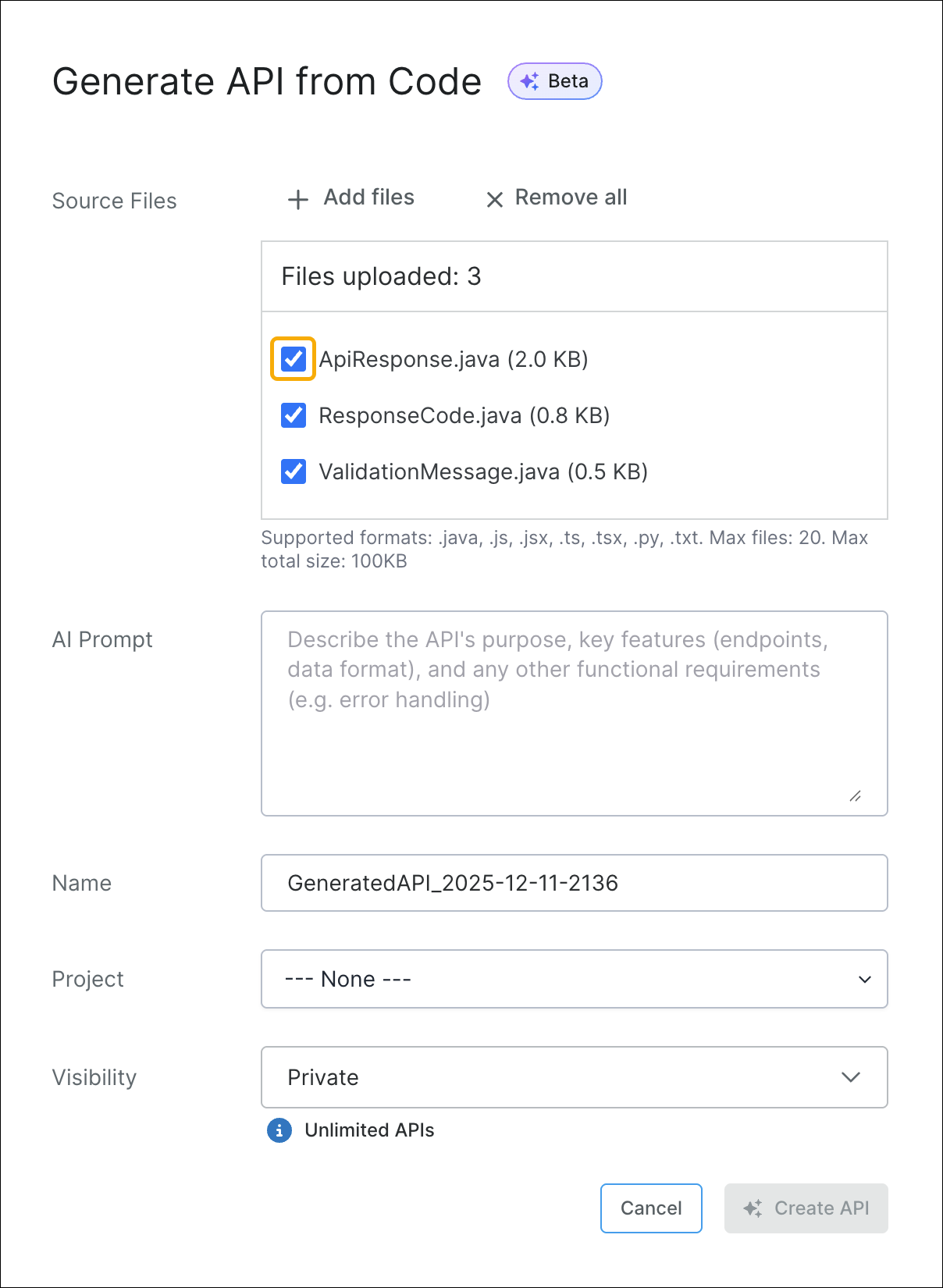
Enter a description in the AI Prompt input to provide any additional requirements for the new API.
Click Create API.
Swagger Studio has generated a new API definition based on the uploaded files and the information included in your prompt.