Account Management for On-Premise Users
The information on this page applies to SwaggerHub On-Premise users. For information about account settings for SaaS (online) users, click here.
Account settings is where you manage your Swagger Studio account details like username, password and email address, create and manage organizations, change your organization’s plan and payment method.
To manage your profile, click your profile icon in the top right corner.
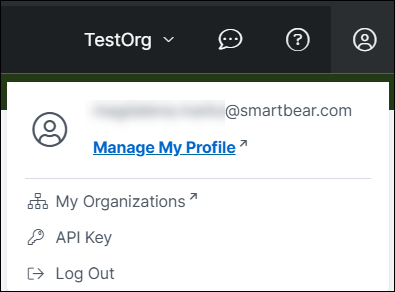
Account Overview
This menu choice lets you:
change the email address associated with your Swagger Studio account,
link your Swagger Studio account to a GitHub account so that you can log in via GitHub as an alternative to using the username and password,
view your personal plan usage and limits,
API Key
This menu item contains your personal API key for accessing Swagger Studio’s public API.
Important
Keep your API key secure, as it provides full access to your APIs and domains.
If the API key has been compromised, revoke it and generate a new one. To do that, click the ellipsis button and select Regenerate API Key. Then update your code to use the new API key.
My Organizations
From this menu item, you can set up your organizations, add and remove members, manage teams. See Managing Resource Access for details.